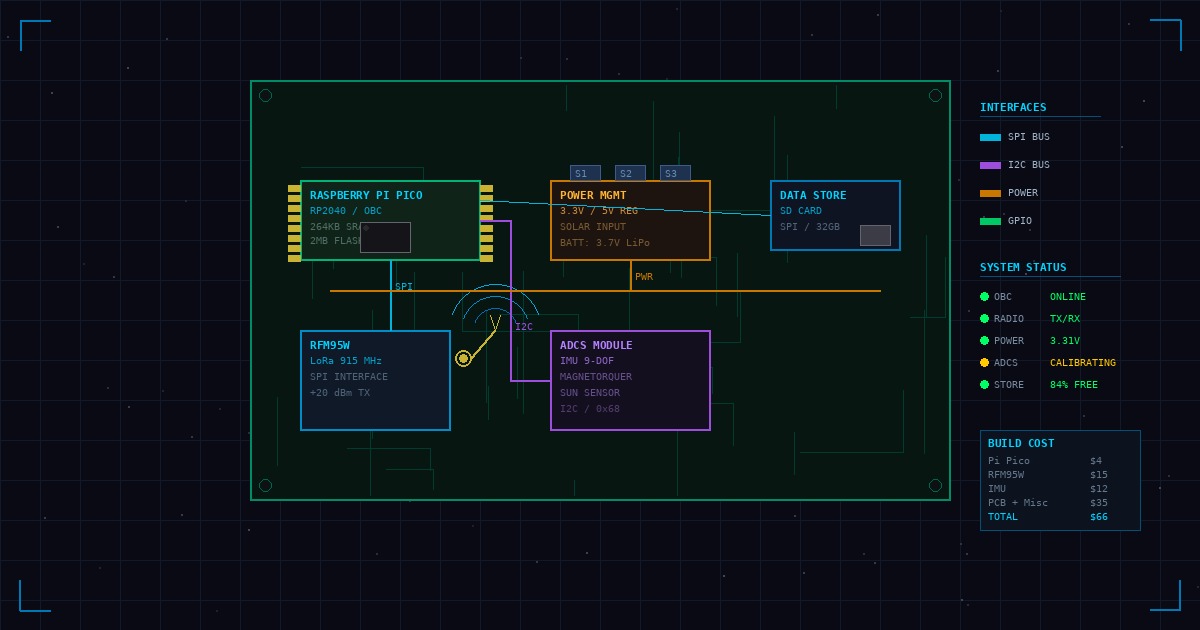
One of the most common questions we get from students is: “How can I practice space cybersecurity at home?” The answer is a FlatSat—a bench-top representation of a spacecraft’s electrical and software systems.
What is a FlatSat?
A FlatSat (flat satellite) is essentially a CubeSat with all its components laid out on a bench instead of being integrated into the compact CubeSat form factor. This makes it ideal for:
- Development and debugging
- Security testing and analysis
- Educational demonstrations
- Vulnerability research
Minimum Components
To build a functional FlatSat for security research, you’ll need:
1. On-Board Computer (OBC)
The brain of your FlatSat. Options include:
- Raspberry Pi 4 - Affordable and well-documented
- BeagleBone Black - Better for real-time applications
- STM32 Nucleo - Closer to flight-like embedded systems
2. Power System
Even a simple power distribution board helps simulate realistic conditions:
- Solar panel simulator (or actual small panels)
- Battery management system
- Power distribution unit with monitoring
3. Communications
For realistic RF testing:
- UHF radio module (433 MHz amateur band)
- SDR for monitoring and analysis
- Simple ground station setup
4. Sensors and Actuators
Add realism with basic subsystems:
- IMU for attitude sensing
- Magnetometers
- Reaction wheel or magnetorquer for attitude control
Software Stack
For the flight software, consider:
# NASA cFS (core Flight System)
git clone https://github.com/nasa/cFS.git
cd cFS
make SIMULATION=native prep
make
make install
NASA’s cFS is open-source and represents the actual software architecture used on many missions.
Budget Breakdown
Here’s what a basic FlatSat lab might cost:
| Component | Estimated Cost |
|---|---|
| Raspberry Pi 4 | $75 |
| Power Distribution Board | $50 |
| UHF Radio Module | $100 |
| RTL-SDR | $30 |
| Sensors (IMU, Mag) | $50 |
| Wiring and Connectors | $25 |
| Total | ~$330 |
Security Testing Scenarios
Once your FlatSat is running, you can practice:
- Command injection - Attempt to send unauthorized commands
- Telemetry manipulation - Intercept and modify sensor data
- Denial of service - Overwhelm the communications link
- Firmware extraction - Dump and analyze flight software
What We Use in Training
In our courses, we use the TEMPEST CubeSat Classroom Kit, which includes pre-built FlatSats with all components integrated and ready for security exercises. This lets students focus on the security aspects rather than hardware debugging.
Next Steps
Building a FlatSat is just the beginning. The real value comes from understanding how each subsystem can be attacked and defended. That’s exactly what we cover in our hands-on training courses.
Interested in a more comprehensive setup? Our Practical Space Cybersecurity course includes full hardware access to enterprise-grade FlatSats and ground station equipment.